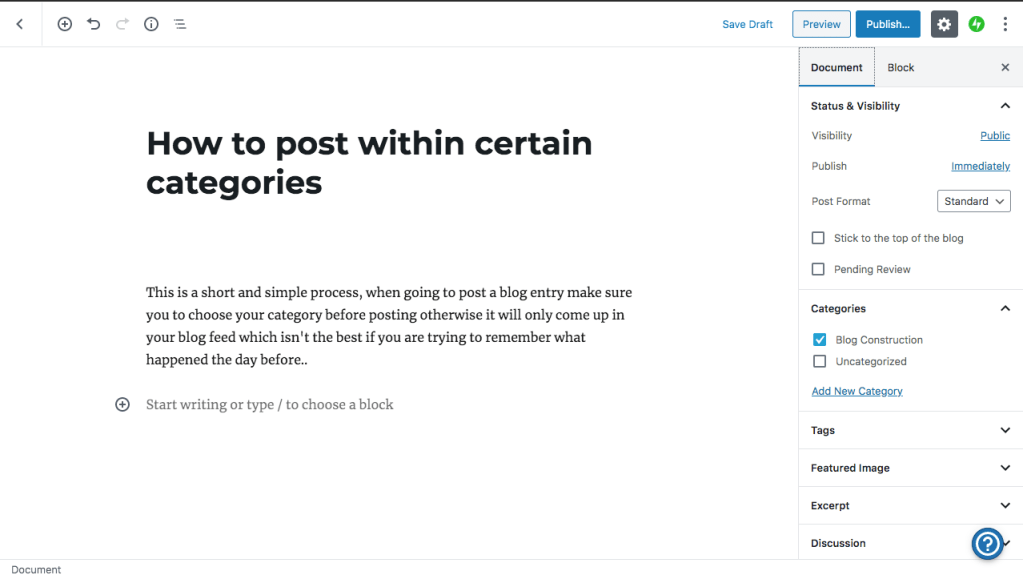
This is a short and simple process, when going to post a blog entry make sure you to choose your category before posting otherwise it will only come up in your blog feed which isn’t the best if you are trying to remember what happened the day before..
Before you press publish make sure your categories have been ticked then you are good to go!
First things first, I am a former student of Fareham Music and I thought it would be helpful to show you all including Chris on how to properly set up a WordPress page which looks appealing and functions in a efficient manner.
If at any point that you would like to check out my blog page for reference of pinch any ideas I will attach the link here: https://elliethornton.music.blog/
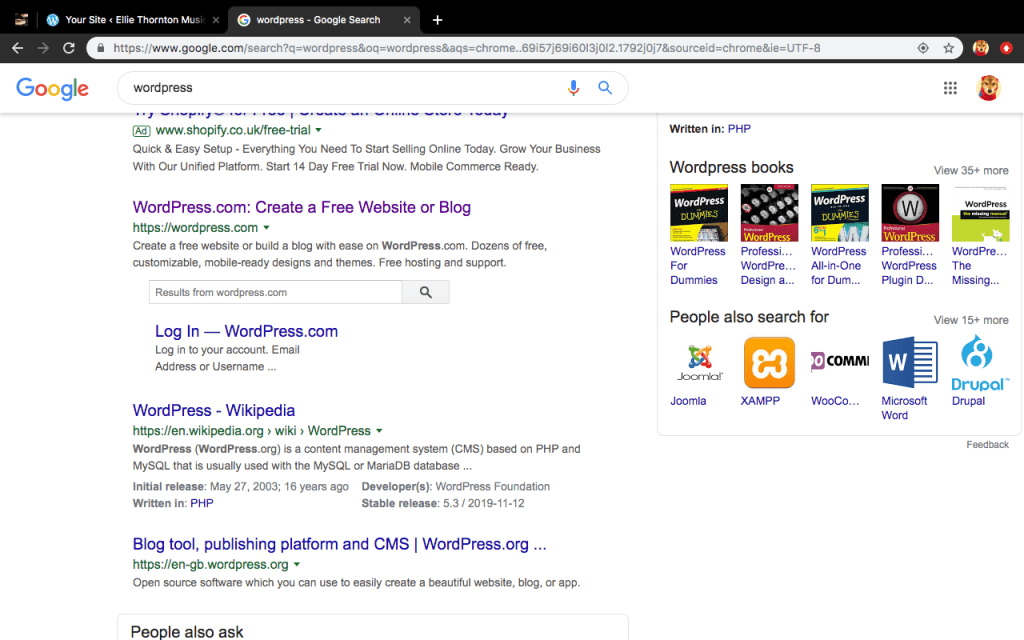
To get things started you will have to find the highlighted link above when looking to start up a page.
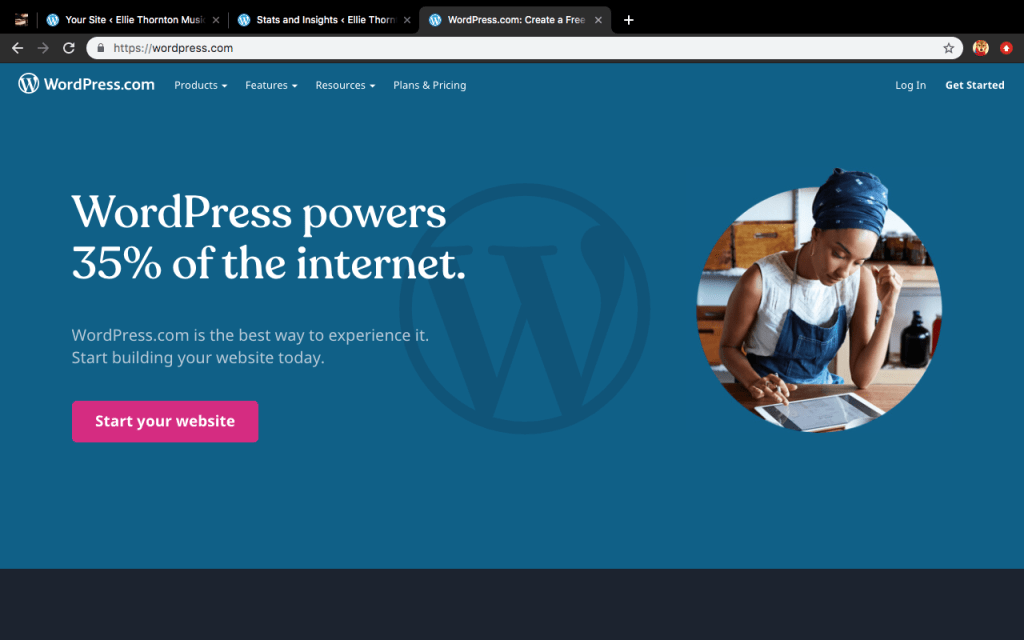
It should then lead you to this following page, to which you should then to proceed to click the pink button that says “start your website”.
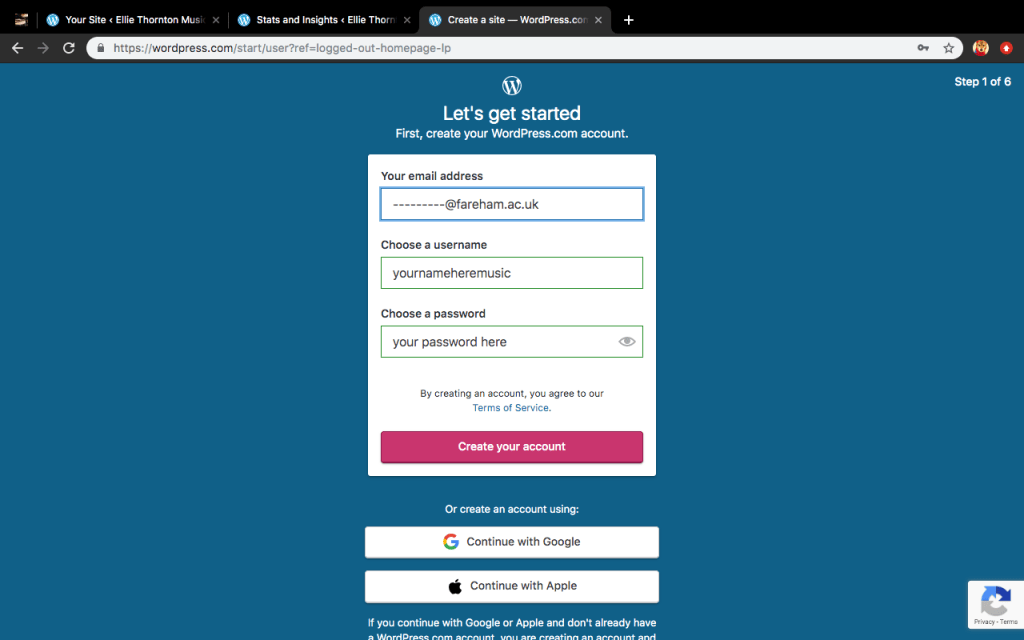
You’ll be then taken to another page where you should put in your college email so it doesn’t get scrambled within your personal emails, then followed up with your first and second name with music at the end.
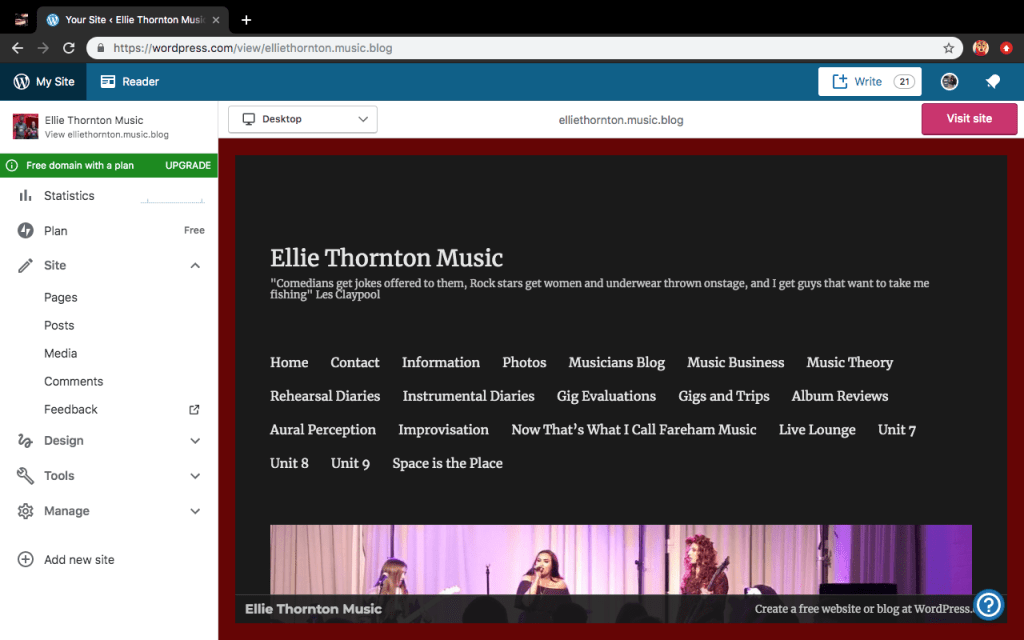
For example my page is called Ellie Thornton Music.
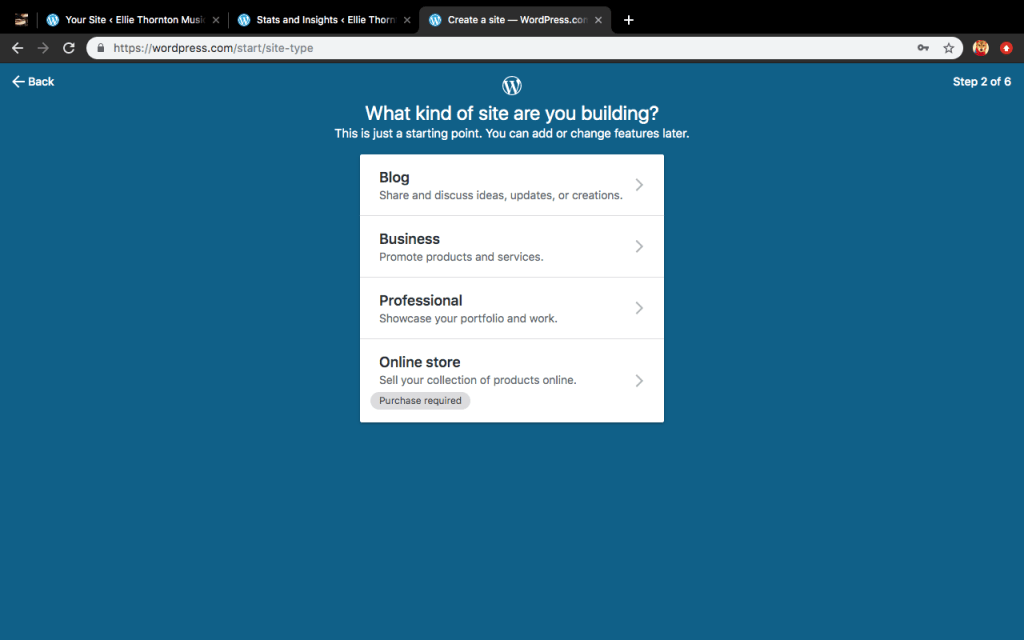
After that stage, you should then click the drop down that says blog, any of the others would be incredibly impractical for your situation!
When searching up the category you desire, simply start to type music then it shall appear click it then press continue.
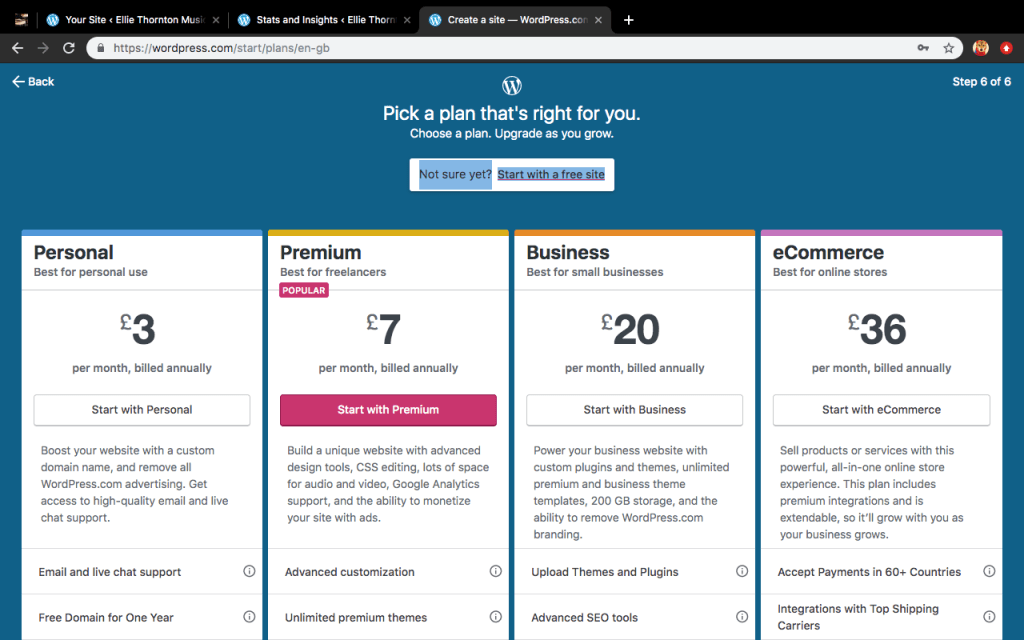
Unless you have the money lying about for your page carry on with a free site, the only benefits of paying would be uploading videos directly onto your page but do it through youtube instead it is a lot cheaper and simpler.
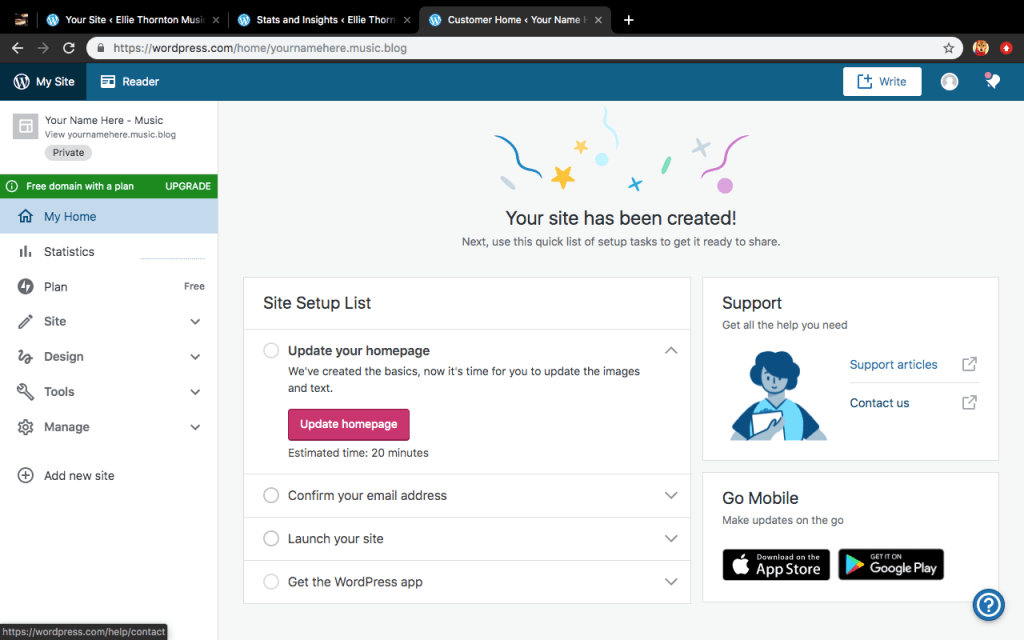
You should be then greeted with this page, what I have done to save time for you all and confusion, I have skipped the pink button telling you to update the home page.
Before carrying on with this process goto your emails and confirm your address otherwise it will restrict you from carrying on with the completion of your site, also make sure to launch your site too!
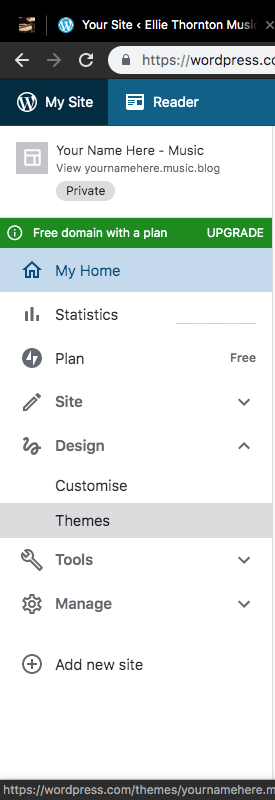
After you have confirmed your email, then proceed to click on design then go forth to choose your theme.
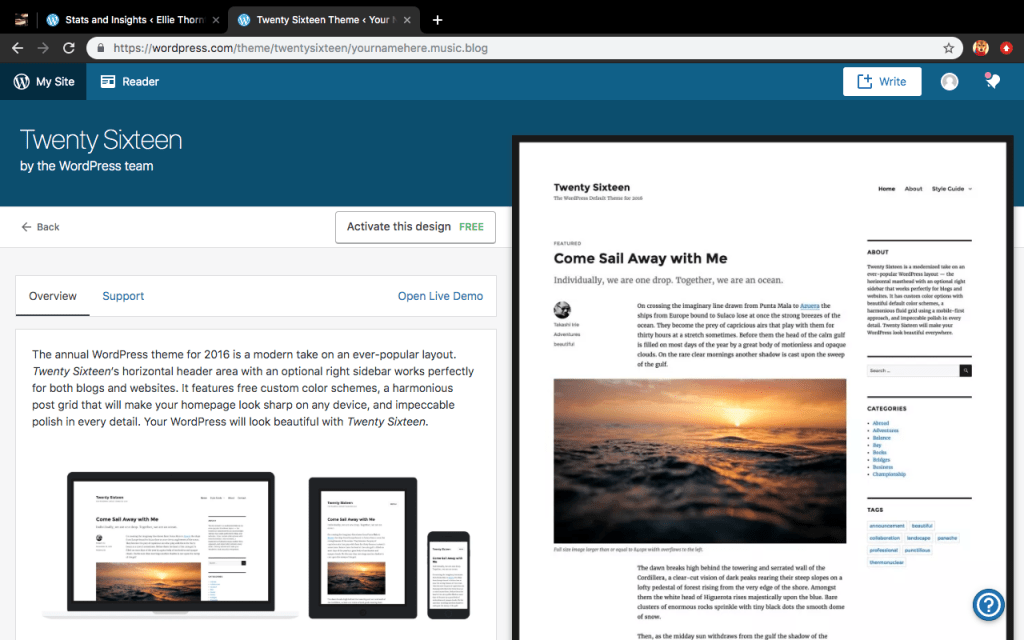
When setting my blog up I found that the one titled “Twenty Sixteen” is the best to get started off with, if it doesn’t suit you, you can always change it after you have gone through these steps, otherwise you will lose things and that can become tiring and stressful…
Go ahead and activate this design, its free so they won’t end up charging you down the line for anything you are doing!
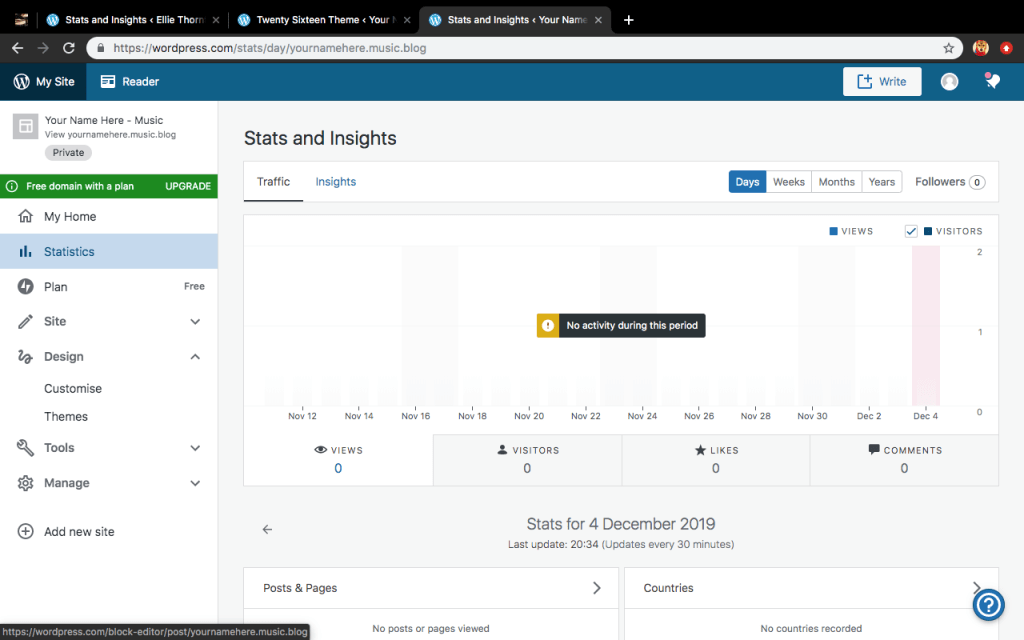
After activating ‘Twenty Sixteen’ as your theme you should be taken back to this page, go ahead and click on the button that says “Write” with the square and plus symbol.
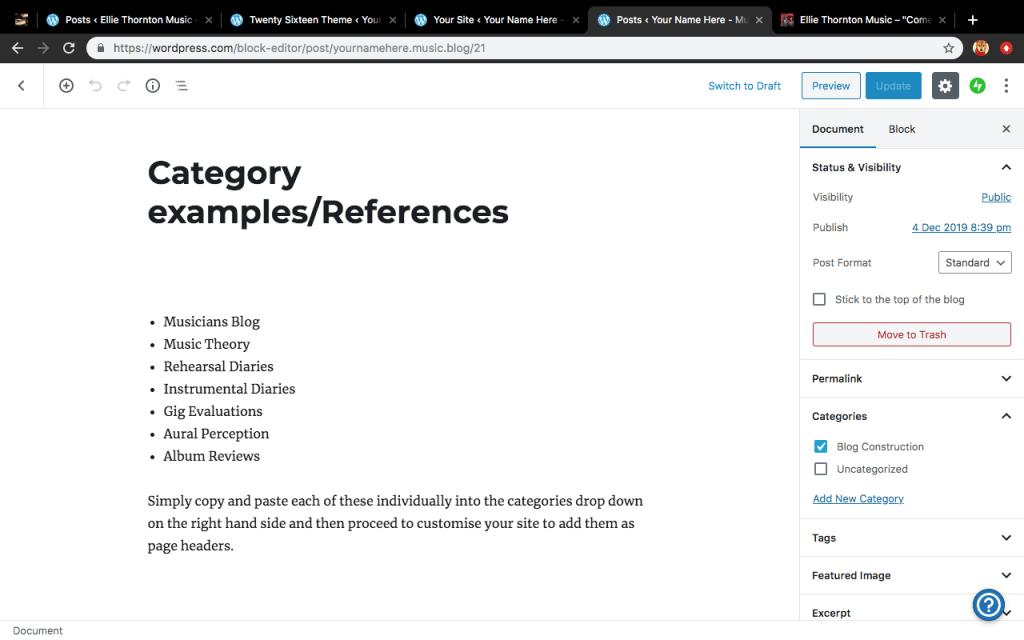
I have made a separate post to help this step to be a lot quicker as it does seem to be a very tedious part, especially if you are a slow typer like me. The image above should help you find and figure out what the category drop down is but proceed to the link so you can copy over the categories for your blog.
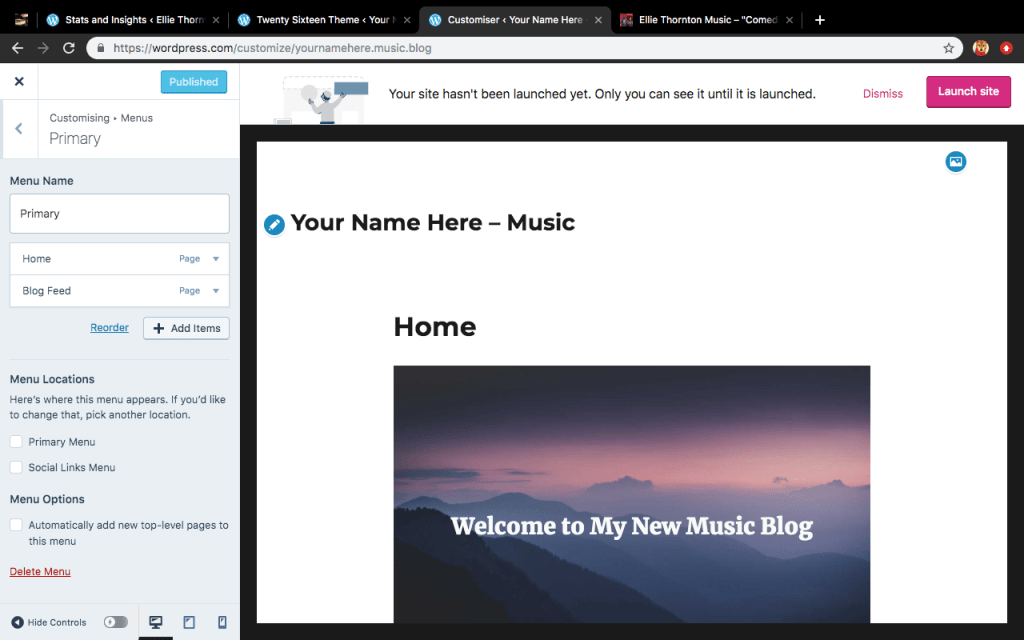
Once you have added your categories, it is now time to put them on your header so it is easy for the examiner to check your work and progress. Go back into the customise section and click upon the menu button.
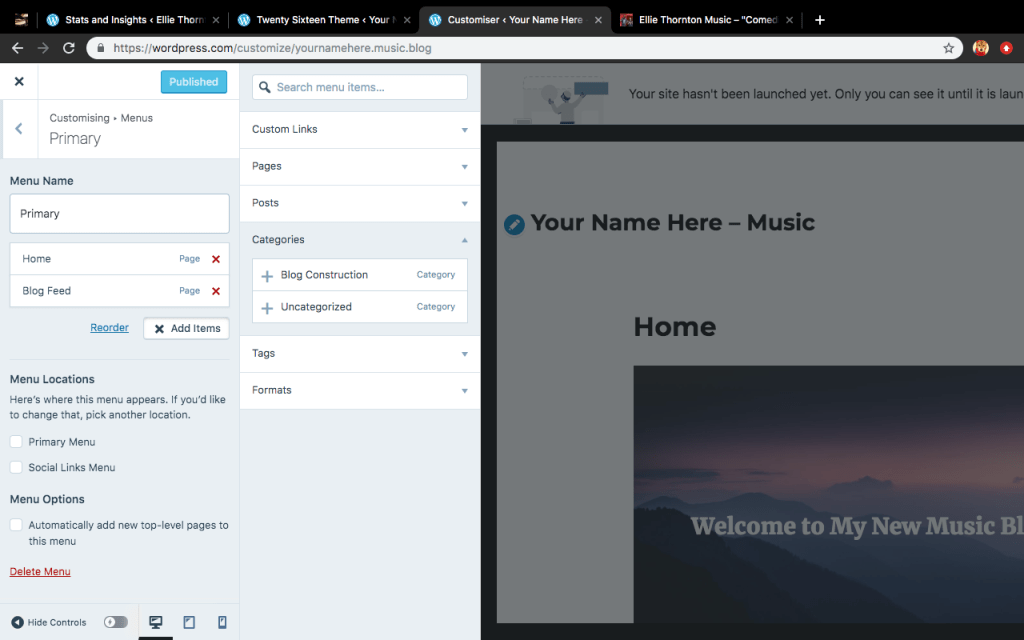
You should then be greeted by another sidebar, click on the button this time that says add items, and another bar should come up.
Make sure to click on the category drop down again and click on all the titles you have previously added and then make sure they’re all there before you go back into the customise menu. DO NOT CLICK THE X YET OR ALL OF YOUR PROGRESS WILL BE LOST!!
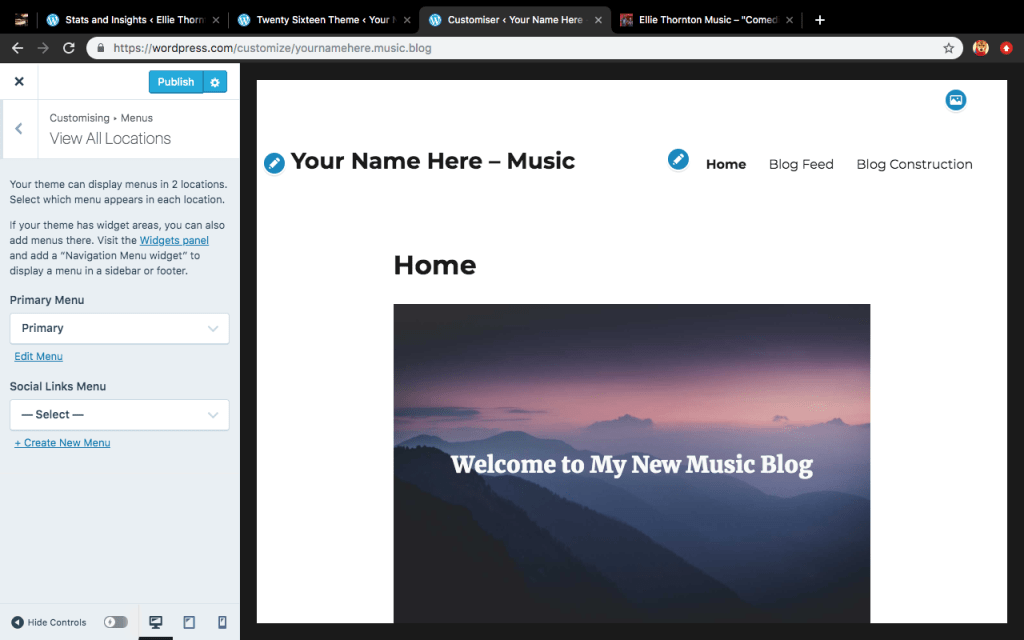
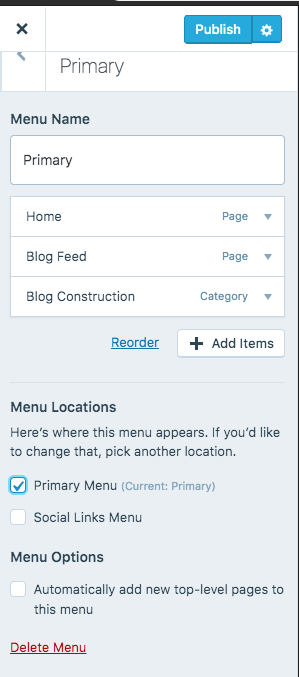
If you click the back button from where you were entering your categories you should be able to click on two options. Just make sure you tick a box that says the following, then all your headers should appear like on the image above.
After you have done this please make sure you press publish before going back to the home menu otherwise all your work would have been for nothing, it should say published when all your work has been saved and uploaded.
You should now have a blog page which is a bare skeleton and it should be very easy to upload and search for work. Please look for another post which tells you how to upload a post to one of these categories.
But that is all from me for now, have fun blogging!!!
Simply copy and paste each of these individually into the categories drop down on the right hand side and then proceed to customise your site to add them as page headers.




 Your Name Here - Music